
Blog

Getting Started

ViddyScribe Enterprise Platform Basics

A short enterprise guide for generating descriptions, creating direct video outputs, editing, AI Edit, and full-screen editing in ViddyScribe.

1:20
ViddyScribe Enterprise Studio in dark mode with three queued videos, a video preview, and the Generate settings panel showing Extended AD, Auto mode, and English (US)

This is a short overview of core Enterprise workflows in ViddyScribe.

Quick video walkthrough

ViddyScribe Enterprise Platform Basics

Allow embedded videos to load this YouTube or Vimeo player. The provider may set cookies.

Core Workflows

Generating Text Only for VTT etc.

  1. Upload a video file or add a supported video URL.
  2. Select Standard AD or Extended AD.
  3. Start generation and wait for processing.
  4. Preview timing and voice output before export.
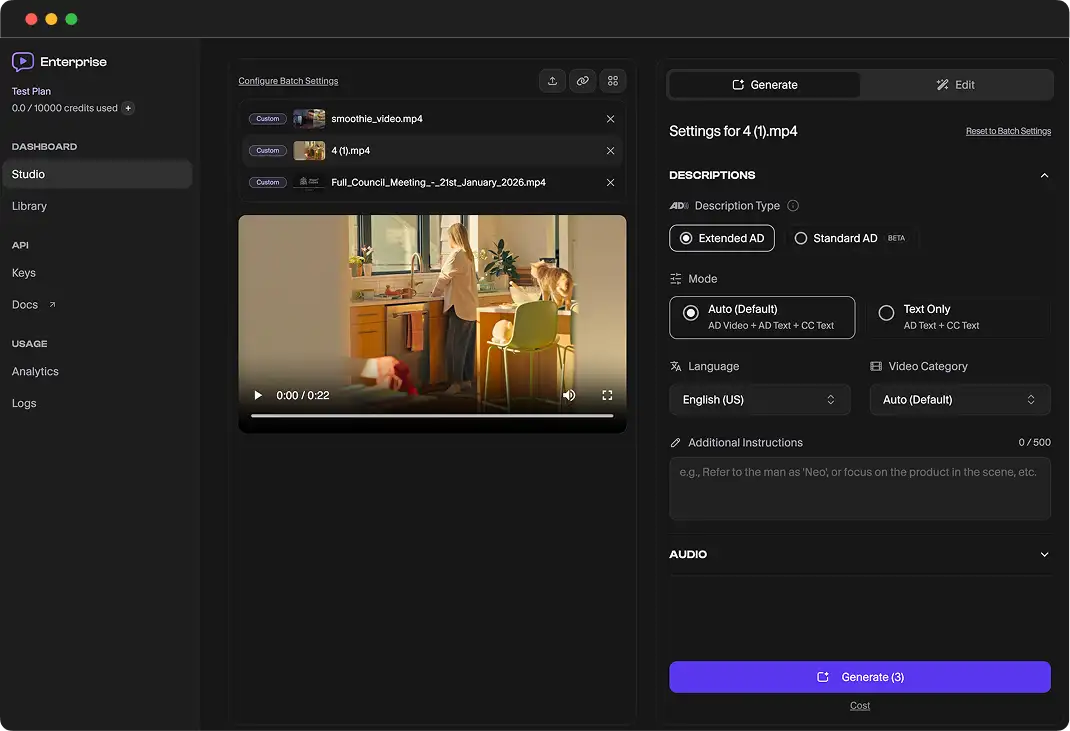
ViddyScribe Enterprise Studio in dark mode with three queued videos, a video preview, and the Generate settings panel showing Extended AD, Auto mode, and English (US)

Generating Video with AD baked in

  1. Open your finished description job.
  2. Select video export or merged output options.
  3. Download the final MP4 and publish to your platform.
ViddyScribe Enterprise Studio in dark mode with three queued videos, a video preview, and the Generate settings panel showing Extended AD, Auto mode, and English (US)

Fine-tuning Descriptions

  1. Open the description timeline or segment list.
  2. Edit text, timing, and segment boundaries.
  3. Re-preview and save changes before final export.
ViddyScribe Enterprise Studio in dark mode with three queued videos, a video preview, and the Generate settings panel showing Extended AD, Auto mode, and English (US)

Using AI Edit

  1. Choose an existing segment or full draft.
  2. Use AI Edit to rewrite for clarity, length, or tone.
  3. Apply the suggestion and review playback quality.
ViddyScribe Enterprise Studio in dark mode with three queued videos, a video preview, and the Generate settings panel showing Extended AD, Auto mode, and English (US)

How to use full-screen editor

  1. Open Full Screen Editor from the edit workflow.
  2. Make focused updates to script and timing together.
  3. Save and return to the main project view.
ViddyScribe Enterprise Studio in dark mode with three queued videos, a video preview, and the Generate settings panel showing Extended AD, Auto mode, and English (US)

Make Your Videos Accessible in Seconds

53 languages · Standard & Extended AD · VTT, audio, and video